
25 multiple-choice questions: examples, formats, and tips
Multiple-choice questions (MCQs) are one of the most popular research tools for surveys and questionnaires. They help researchers collect clear, structured data for a specific goal. Insights specialists can use them to understand customer preferences, measure knowledge, or analyze market trends.
Selecting the right type of multiple-choice questions can make surveys less time-consuming for researchers, marketers, and, crucially, survey participants, helping to boost response rates.
In this article, we look at the basics of multiple-choice questions, showing different format examples and multiple choice options, and finishing with a ready-to-use list for your research. By the end of this guide, you’ll know how to design multiple-choice questions that yield meaningful, actionable data.
What is a multiple-choice question?
A multiple-choice question is a question type where respondents are given a set of answers and choose the answer option or options that best reflect their opinion. Unlike open-ended questions, it provides a fixed set of answers that makes the analysis of responses more convenient and also makes the comparison of results easier.
MCQs are used in a wide range of surveys and when creating an efficient questionnaire strategy. They are easy to answer, reduce ambiguity, and can be quantified quickly.
Depending on the purpose of the research, these multiple-choice items can measure knowledge, opinion, behavior, or preference. In a multiple-choice test, they can also identify a correct answer and incorrect responses.
Here’s a multiple-choice question example: Which of the following social media platforms do you use most often?
- X
- TikTok
- Other
Respondents simply have to select one answer option, which makes it easy to collect and analyze information about social media usage.
Multiple-choice questions to use in your surveys
Depending on the survey question types and the kind of responses you want, multiple-choice questions can be displayed in different formats. The answers you want to get from respondents determines the best format and multiple-choice options, making the survey easier to answer and simplifying data analysis.
Here are some multiple-choice question examples to help you get started
1. Radio buttons
Your respondents see all the answer options and can select only one answer by clicking a circle.
When to use: Good for short lists where you want one clear choice or best answer.
Example:
What is your preferred mode of transportation?
- Car
- Bicycle
- Public transportation
- Walking
2. Checkboxes
Respondents can select multiple answers by checking one or more boxes.
When to use: A good format for questions where multiple answers are valid.
Example:
What kind of content do you consume online?
- Blogs
- Videos
- Podcasts
- News articles
3. Dropdowns
Respondents select one answer choice from a collapsible list, which keeps the survey compact.
When to use: Ideal for long lists, such as countries, job roles, or regions.
Example:
What is your current job role?
- Manager
- Team Lead
- Analyst
- Executive
- Junior
- Graduate
- Other
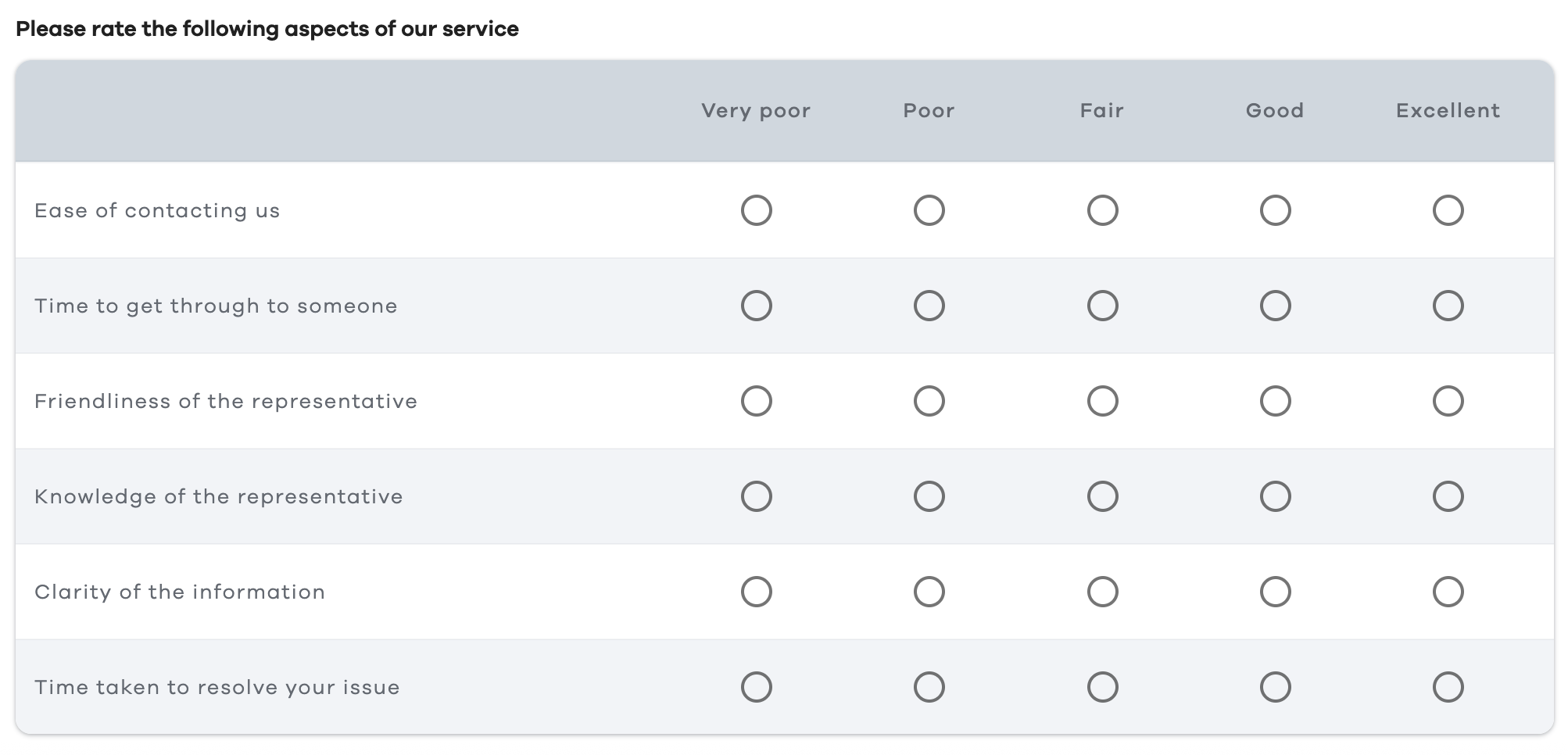
4. Matrix/grid
Respondents rate or select answer options for multiple items in a table.
When to use: Best for rating multiple related items using the same scale efficiently.
Example:
Want to turn responses to multiple-choice questions into actionable insights? Use Checkbox to design flexible, easy-to-analyze surveys and capture meaningful data from your audience. Request a demo today.
25 multiple-choice questions to include in your research
Below we’ve gathered 25 MCQs designed to cover preferences, behaviors, and opinions across different areas. You can use them to create efficient trivia question multiple-choice surveys, or adapt them for customer feedback forms, employee engagement surveys, market segmentation studies, and more.
Single-answer questions
Respondents select only one answer. The best format is radio buttons (one question per row) or as a dropdown (collapsible list).
- What is your age group?
- Format: Radio buttons/dropdown
- Options: Under 18, 18–24, 25–34, 35–44, 45–54, 55+
- Which device do you use most to access the internet?
- Format: Radio buttons
- Options: Smartphone, tablet, laptop, desktop
- What is your primary source of news?
- Format: Radio buttons
- Options: TV, social media, newspapers, online news websites
- Which region do you live in?
- Format: Dropdown
- Options: Afghanistan, Albania, Algeria, Andorra, Angola, Antigua and Barbuda, Argentina, Armenia, Australia, Austria, Azerbaijan, etc.
- How often do you shop online?
- Format: Radio buttons
- Options: Daily, weekly, monthly, rarely, never
- What type of content do you prefer consuming online?
- Format: Radio buttons
- Options: Articles, videos, podcasts, infographics
Multiple-answer questions
Respondents select more than one option. A typical format for these multiple-choice questions is a checkbox.
- Which social media platforms do you use regularly?
Options: Facebook, Instagram, X, LinkedIn, TikTok, Other
- Which product features matter most to you?
Options: Price, quality, brand reputation, design, sustainability
- Which types of content do you consume online?
Options: Blogs, videos, podcasts, infographics, news articles
- Which hobbies do you enjoy in your free time?
Options: Reading, sports, traveling, gaming, cooking
- Which payment methods do you use for online purchases?
Options: Credit/debit card, PayPal, bank transfer, digital wallet
- Which health-related habits do you follow regularly?
Options: Exercise, healthy eating, meditation, regular checkups
- Which factors influence your purchase decisions the most?
Options: Price, brand reputation, reviews, promotions/discounts, recommendations
- Which types of emails do you usually open?
Options: Promotional, newsletters, product updates, event invitations, surveys
Likert scale questions
Usually used to measure agreement or satisfaction, Likert scale questions can be shown as individual radio buttons or as a matrix (multiple items on one scale).
Radio button format
All of the following questions should have these response options:
- Strongly agree
- Agree
- Neutral
- Disagree
- Strongly disagree
Although you can also add additional “Slightly agree” and “Slightly disagree” options.
- I am satisfied with the quality of our products.
- I would recommend this product or service to others.
- The website is easy to navigate.
- Our customer support resolves issues promptly.
- I feel confident using this product or service without assistance.
- I feel that my opinions are valued when providing feedback.
Likert scale questions don’t always have to range from “Agree” to “Disagree.” For example, in the case of this question: “How satisfied are you with our service?"
- Very dissatisfied
- Somewhat dissatisfied
- Neutral
- Somewhat satisfied
- Very satisfied
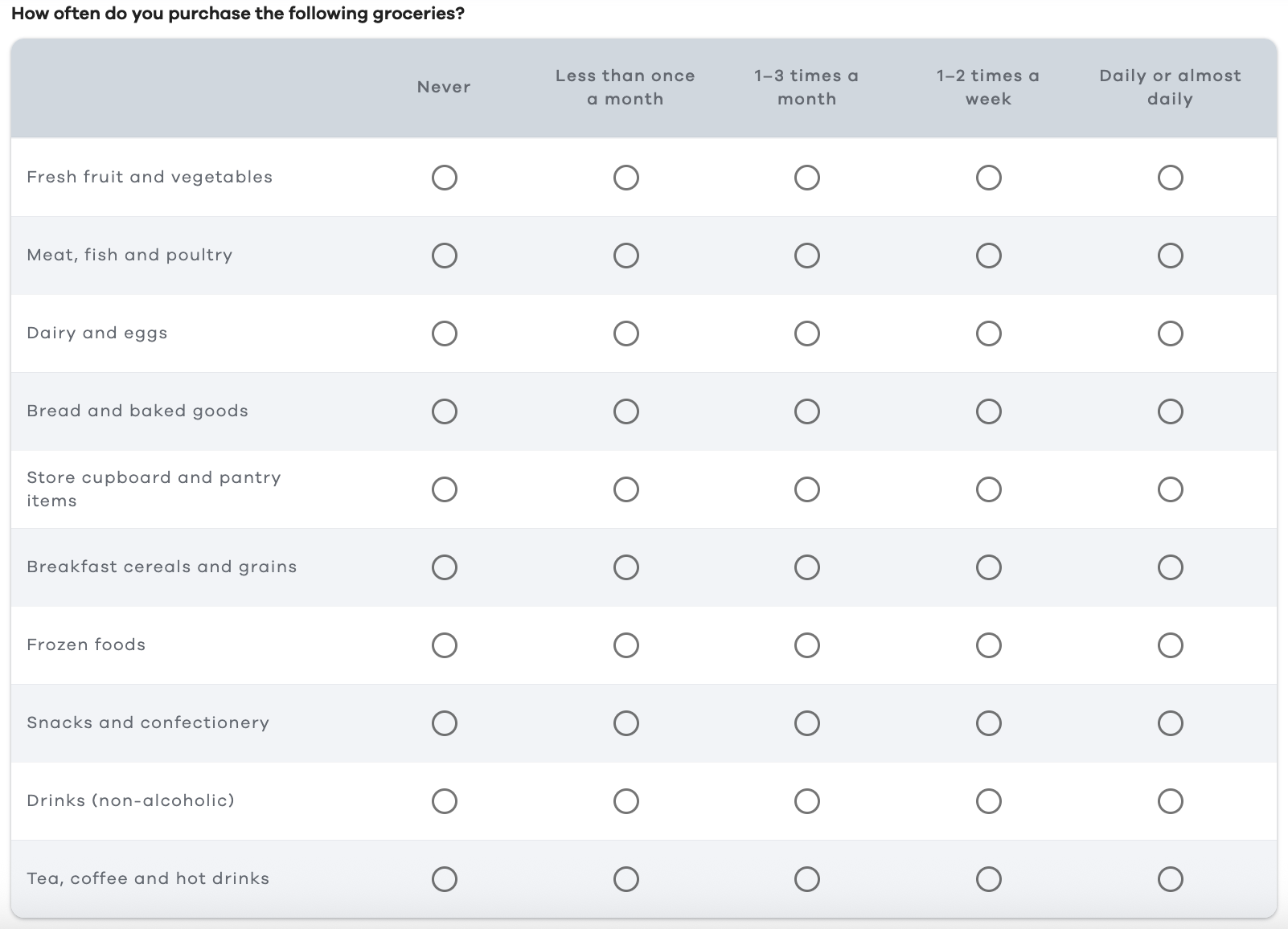
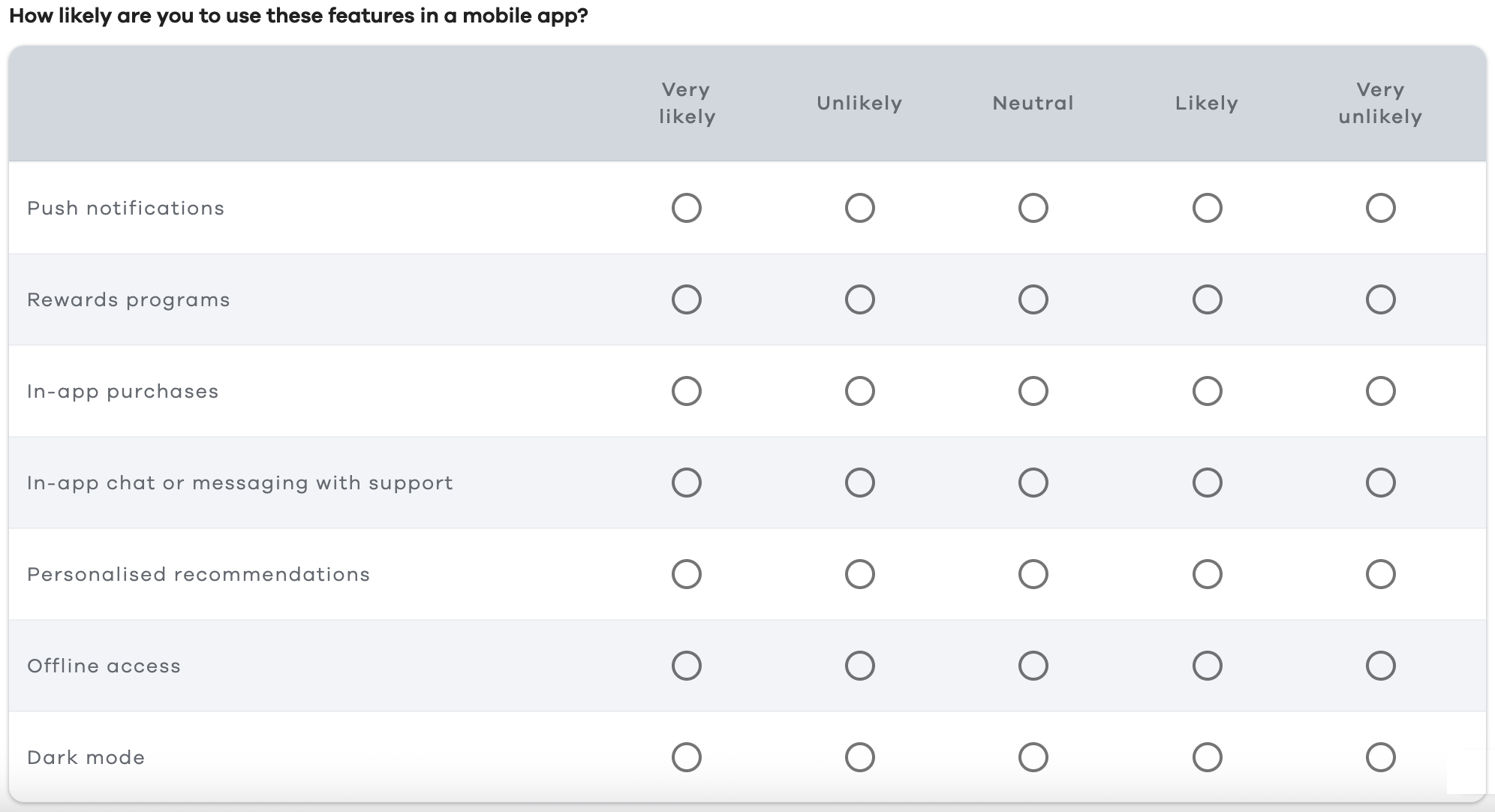
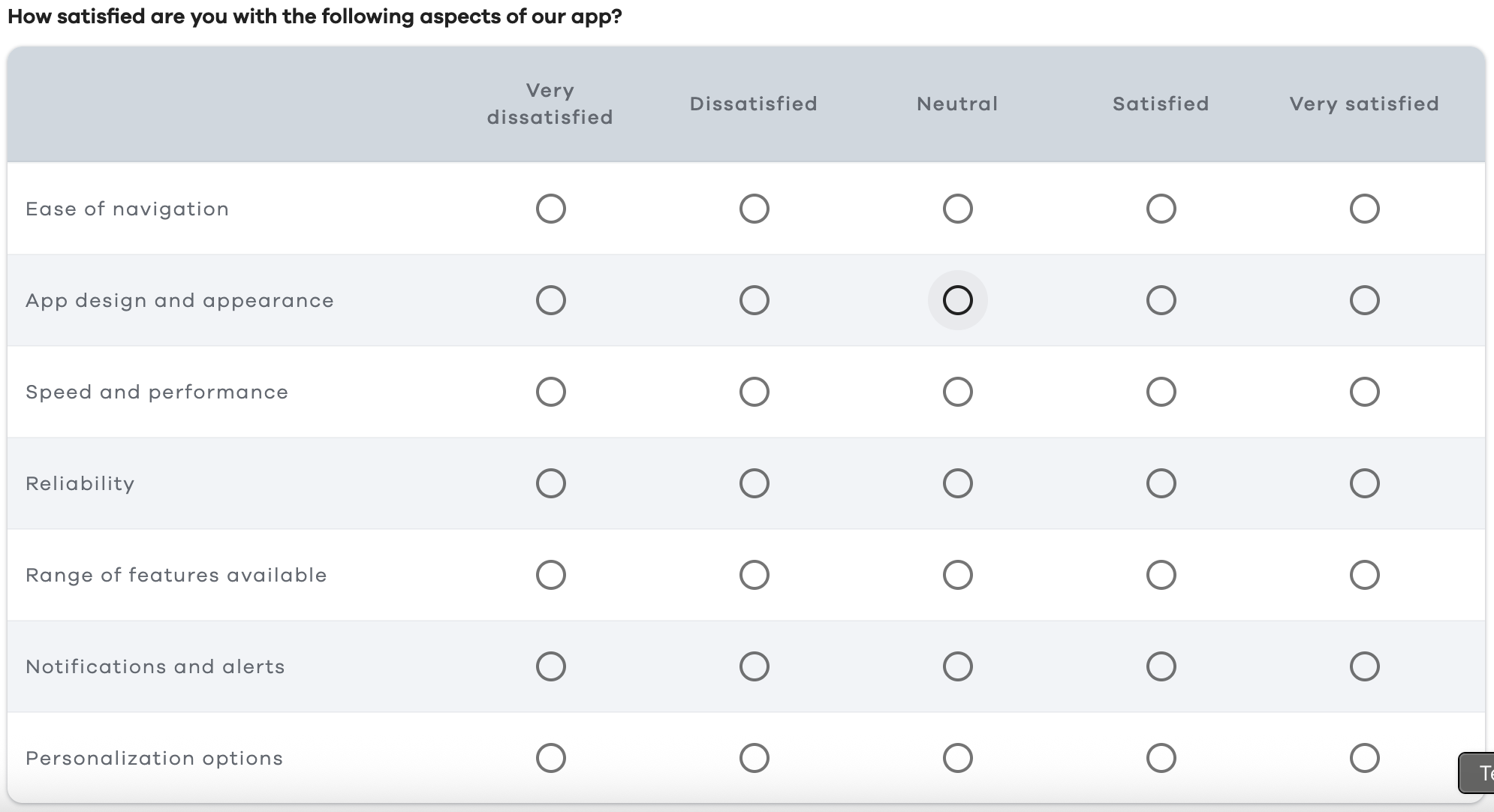
Matrix format
21. How frequently do you engage in the following health-related activities?

- How often do you purchase the following groceries?
- How likely are you to use these features in a mobile app?
- How satisfied are you with the following aspects of our app?
- How often do you use the following services from our company?

When and how to use multiple-choice questions
Multiple-choice questions are extremely versatile. To use them effectively, focus on when to use them and which of the following factors shape each particular question, from the question stem to the answer options.
When to use multiple-choice questions
You can employ multiple-choice questions when you need quantifiable data that is easy to analyze. These questions are the top option if you want to compare preferences, behaviors, or attitudes across a large group, or are conducting surveys in business, academic, or marketing research where consistency matters.
How to design multiple-choice questions
- Keep answer options mutually exclusive: Avoid overlapping answers that confuse respondents.
- Include an “Other” option with a free-entry field: This allows for the collection of responses outside the predefined list.
- Limit the number of choices: Too many options can overwhelm respondents and make surveys more time-consuming. Use 4–7 for single-response questions, unless it’s a dropdown.
- Use clear, simple language: Avoid jargon, abbreviations, or confusing terms so respondents understand what is being asked.
- Apply helpful software: You can use a market research platform like Checkbox to easily create, distribute, and analyze multiple-choice questions, helping you identify patterns, collect feedback, and generate actionable insights
How to select the correct type and format
- Single answer questions (radio buttons or dropdown): Use radio buttons or a dropdown when only one answer should be selected.
- Multiple-answer questions (checkboxes): Use checkboxes when respondents may select multiple applicable choices or multiple answers.
- Likert scale/matrix questions: This is the appropriate type and format for measuring ranges in attitude, satisfaction, or frequency across multiple items efficiently.
Common pitfalls to avoid
Be aware that leading or loaded questions may encourage biased responses. Also, don’t include too many similar options that may confuse the respondent and dilute the results.
In a knowledge test or multiple choice test, make each wrong answer and plausible distractors clear but believable, without making the correct answer too easy to guess. This step is especially important in high-stakes choice questions, such as the multistate bar examination, or medical examples that ask for the most likely diagnosis.
Ensure response scales are balanced, such as with an equal number of positive and negative options.
Final thoughts
Multiple-choice questions are among the most powerful tools in research. They can quickly and efficiently gather structured, actionable data.
For marketers, these questions reveal customer preferences, insights, and tactics to help you create targeted campaigns and strategies. In academic research, they make response analysis easier. Businesses, meanwhile, can use them to measure customer satisfaction, monitor trends, and make decisions that enhance processes, products, and services.
To obtain reliable results from your surveys, design clear questions and choose an appropriate question type and format.
Cloud or on-premises survey software solutions like Checkbox help you create online surveys with customizable multiple-choice questions and advanced analytics to enable you to capture the audience's values, interests, behaviors, and other patterns easily.
Request a demo to explore Checkbox’s features and craft efficient, user-friendly surveys.
Multiple choice FAQs





Contact us
Fill out this form and our team will respond to connect.
If you are a current Checkbox customer in need of support, please email us at support@checkbox.com for assistance.
